Sound waves

Sound waves
http://www.wallpaper4me.com/images/wallpapers/soundwaves-343804.jpeg

Monday, 22 April 2013

Audacity


Audacity comes under the recoding live category of music production. This piece of software is used to record, edit and mix audio. The good thing about this program is that it is free to download and use, as it is an open source program meaning the code for the program is available for people to use and edit.  Audacity  run on Windows, Mac OSX and  Linux platforms, thus appealing to a wide range of people.  I myself have used this software to  record and edit  audio and I found it very user friendly and easy to navigate  around   the software. As seen in the screen shot below, the interface is simple, yet still allows for many different functions.

http://audacity.sourceforge.net/about/images/audacity-macosx.png


Audacity has all the features of an expensive software suite and it also allows you to cut and paste sections, delete sections, use effect such as fade in and out, noise removal, echo and many more including extra plugins that can be downloaded.


Audacity is a great product if you are into music production and on a low budget. Doesn't matter if your just a beginner or a professional, this feature packed program will allow you to get your project done with ease, in no time at all. Isn't that great!! The software is also useful if you just want to convert files to a different format. For example if you had an mp3 file you can easily convert that to wav or even aiff.

For more information and to grab yourself a free copy of this fantastic program, which I would recommend to just about anyone visit http://audacity.sourceforge.net/

Thanks for reading guys. Don’t forget to check the blog regularly for updates, as many more reviews are on the way!!!
-Aram


Sunday, 21 April 2013

Mixcraft 6


Hi guys my names Aram. Over the next week or so we will be comparing a range of music production software for all budgets and technical expertise. The software packages I will be reviewing include  Mixcraft 6, Audacity, Serato and Garage band. Today I will be talking about Mixcraft.

If music production and recording live is what you do, then Mixcraft is a perfect option for you. Mixcraft 6 is a great option for multi-track recording as well its powerful music production tools. It comes with an array of music loops, audio effects and virtual instruments included, which is great considering some programs make you pay extra for them. With Mixcraft recording audio and MIDI tracks are a breeze. The 6000 skilfully created music loops and sound effects cater for a wider range of genres. Whether you are producing rock or dubstep, this program has got you covered!! You can even import your own loop from garage band or Acid into the program, so you can easily access your own unique sounds.

Let’s move onto the fun stuff!! The great thing about this piece of software is in my opinion definitely the 11 virtual instruments which you can you to make your own music. These include instruments such as synthesisers, orchestral instruments, drums, pianos, bass, guitar and heaps more. Not to mention the big selling point for the product, the range of virtual vintage keyboards as shown below:
http://www.acoustica.com/mixcraft/images/mixcraft-6-screenshot-Instruments-effects.png

These are just some of the instruments that the software has to offer as the program also allows you to get many more through third-party plugins, ensuring you will always have an endless assortment.

One of the fantastic features that this software also offers is the ability to score and edit video, allowing you to make slideshows from your photos and video, remix the audio and add text and titles.

A trial version of the software is available to download from the Acoustica website, as well as the option to purchase the full version. There are a number of versions that are available for purchase. Mixcraft is the base edition of the software and includes the stuff I mentioned above. It retails for $74.95, making it an affordable choice for aspiring artists or even professionals. The top of the line software is Mixcraft Pro studio. This includes all the features of the standard Mixcraft software, however adds 3 more virtual instruments and four more fantastic effects. This version costs $149.95, however many will find that for the extra money it is not worth it and the standard edition will suffice..

I would definitely recommend it!! Great value, easy to use and affordable.
Check out their website for more info on the features and to purchase the product:

Thanks for reading guys, plenty more on the way... Aram :)

Albeton Live


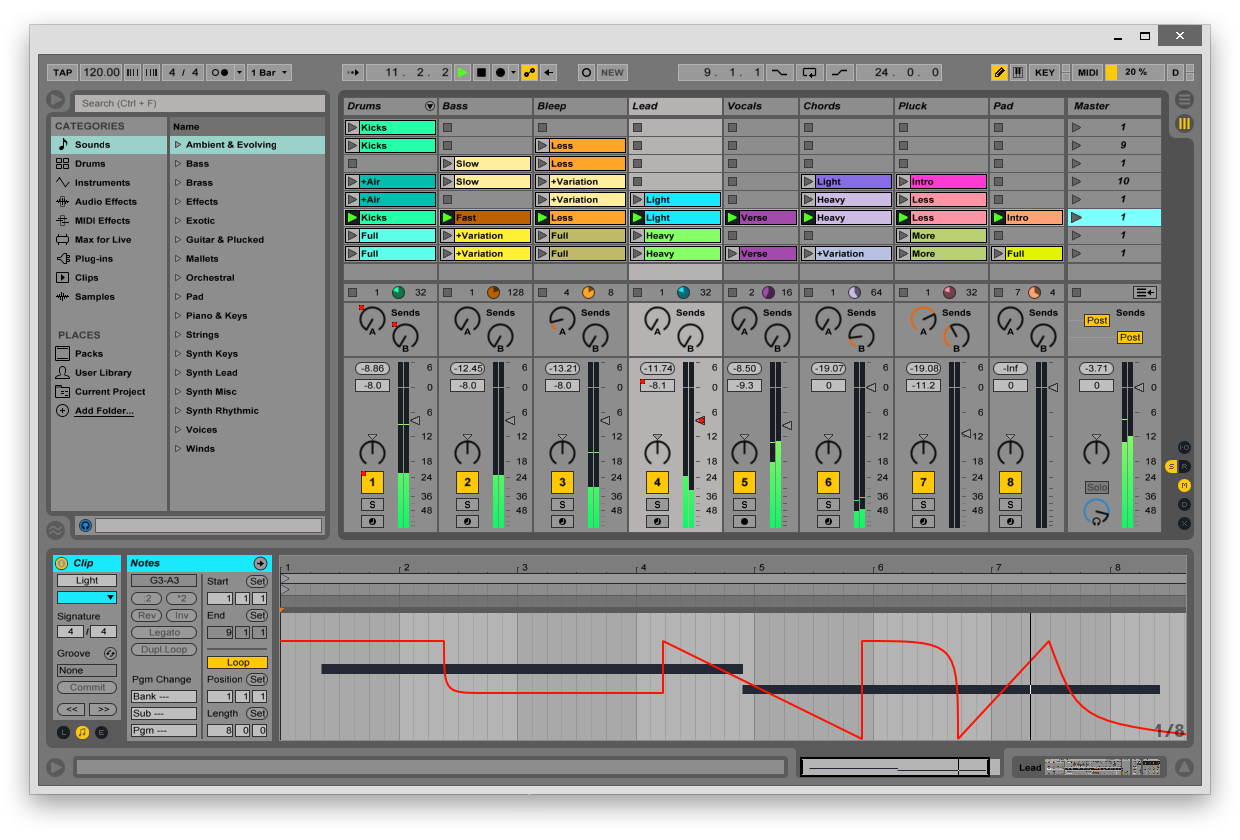
Albeton Live as a producing software has only been recently released and it is definitely a favourite in the producing world. 

Okay so let me tell you a little about it. Its master features include:  a music sequencer, a digital audio workstation, composing ability, live recording, arranging and mixing beats, mastering, crossfading and has compatible turntables for both Mac and Windows unlike some programs which do not allow for this such as Fl Studio. In that case for Fl Studio you need to download Boot Camp on Mac to have this software. The great thing is that for Ableton Live there is no worry about having to download any extras and it is one of the first music software out there that automatically beat matches songs. I can say that I definitely take my hat off to these developers.  

I have put a list of some of the great audio effects on Albeton Live and it is a BIG list. The effects that I love include: auto filter, auto pan, beat repeat, chorus, compressor, corpus, dynamic tube, eq eight, eq three, filter delay, flanger, frequency, shifter, grain delay, limiter, looper, multiband dynamics, ping pong delay, redox, resonators, reverb, saturator, simple delay, spectrum, utility, vinyl distortion, midi effects, arpeggiator, chord, note length, pitch, random, scale and velocity. There is so much there so it may be a good idea to check out the website for more information. 

Albeton Live shares many features with the other software that we will be talking about throughout the different posts we put up. Even though the features can be similar to FL Studio and MixCraft, a lot of people have labelled Albeton Live as software with quality. My absolute favourite feature in Albeton Live is live recording which is perfect in terms giving your voice dynamics and really stepping up the overall quality of the entirety of the song. 

On the down side it is not the easiest producing software to use. It can be daunting. It is important to really learn and master this software to get the most out of its potential because the final and professional result is worth aiming for. 

This software is quite costly compared to the others we are mentioning but worth the money. Live 9 Introduction costs $599, Live 9 Standard costs $948 and Live 8 Suite costs $1198. These are discounted prices and students can take off a further 40% off the prices. There is also an opportunity for users to buy an upgrade instead of having to purchase a brand new Live version.


https://www.ableton.com/en/sh

Check it out. Definitely worth the money...

Till next time ... George

Virtual DJ

Have you ever dreamed of being a DJ and you could not afford real decks and mixers?  Have you ever dreamed of being a DJ but just couldn’t figure out how to start or what to do? Well Virtual DJ is a perfect way to start.

I know so many people who use this software including myself and it’s so easy to start off with and use when you don’t have anything else. It does all the great things that a DJ will need in a program and no one will ever know. 

Virtual DJ is software of a virtual disc jockey system and it basically gives you a real setup on your computer. DJs use this software at gigs, clubs, parties, and even events. Some major DJ equipment brands like Numark have produced budget equipment for this software. Virtual DJ is the successor of Atomix MP3 which was released in Mid-September 2000, and then the first version of Virtual DJ was released in July 2003. 

There are various types of the software part of Virtual DJ Home which is sold at any DJ and music shops.  Eventually a free version was released called Virtual DJ Broadcaster which was available both online and in store. The other types of versions include Virtual DJ Pro Full which is only available online and Virtual DJ Limited Edition which is only available with selected Midi Controllers.

The prices vary from being able to download a demo online for free, $49.00 for Virtual DJ Broadcaster, $99.00 for Virtual DJ Pro Basic and $299.00 for Virtual DJ Pro Full.

The Software’s run on both Mac and PC unlike some program which only allows you to install on one system. The software can also accept alternate midi controllers like CDJS in the program as it basically allows you to mix songs like a DJ and it also has effects like a mixer for e.g. Wah Wah, double beat and slow drops. It has a sync button which syncs the audio clips together and keeps your mixes intact which is especially useful for DJs who may use different equipment and move around a lot. 

Virtual DJ is an intermediate software but its rewarding in the simplicity and useful effects throughout the software. It is an ideal product for home users and local club DJs and something that I would definitely recommend. It is a perfect starting point for those who are looking to get a feel of what software suits them and before they move onto more advanced systems. 

virtualdj.en.softonic.com

Thanks
George

Saturday, 20 April 2013

TRAKTOR DJ


Hey again.

Let me give you a quick recap. Up until now we have spoken about FL Studio and Reason Essentials which are both types of software that come under producing. Today it’s time for me to explain what it TRAKTOR DJ and how much it may cost for those keen producers out there. TRAKTOR DJ is one of the first DJ products that we will talk about over the next couple of weeks. 

TRAKTOR DJ is actually the first in the world professional DJ software for iOS (also known as Apple product users). TRAKTOR Pro 2 can be bought in a full complete pack for a Mac or TRAKTOR DJ can be downloaded from the app store for those interested in using their iPads to get the job done or test it out for a cheaper price. With those using their iPads, it is a great way to get hands on as it gives users the opportunity to use hand gestures to manipulate the waveforms that come up on the screen to create a mix suitable for the occasion. Something a little like in the picture shown below.

http://www.native-instruments.com/en/products/traktor/dj-software/traktor-dj/

TRAKTOR DJ can be synced onto iTunes, keeping all mixes intact which can then be transferred onto your computer using TRAKTOR PRO 2 and used as a mobile DJ solution for even the biggest DJ’s out there. It allows users to add up to eight cue points to newly imported tracks, fine-tune beat grids and BPM count, then sync simply and easily via Dropbox. Everything you do syncs perfectly with TRAKTOR PRO 2 and vice versa. This is a user friendly program that any DJ starting out will find useful and easy to use. 

TRAKTOR DJ has a few other programs that work together to get the best sounds and mixes heard which include TRAKTOR PRO 2, TRAKTOR KONTROL S4, S2, F1, Z4 and TRAKTOR SCRATCH Audio 10 and A6. Prices start from $19.95 which TRAKTOR DJ can be downloaded from the app store for iPad, iPod and iPhone. These prices vary because of the different functions available. Prices are as follows respectively: $89.00, $899.00, $559.00 $279.00, $899.00, $559.00, $339.00 these can also be purchased from the website http://www.native-instruments.com/en/products/

The different versions and their functions include more opportunities for the chance to use four or more DJ decks which feature powerful looping, cueing functionality, effects suites and TrueWave coloured wave forms. There are so many tutorials that can be found on the internet to use each of the products so you will never be lost on how to use something. 

Enjoy Guyss.

Jessica :)
http://www.native-instruments.com/en/products/traktor/dj-software/traktor-dj/


Friday, 19 April 2013

Reason Essentials

Reason Essentials - What is it? 

Next to hit music production software is Reasons Essentials. It is a computer program for creating and editing music. Reason was developed by Swedish developers named Propeller head Software. It uses a stack of hardware synthesizers, samplers, signal processors, sequencers, and mixers in order to do what it does best. Reason can be used either as a virtual music studio or as a collection of virtual instruments to be used with other sequencing software in a manner that copies a live performance.

Reason 1.0 was released in 2000. There was a lot of controversy when Reason was released in terms of the originality of this software because it had major similarities to a lot of great software’s that others used such as where users can insert virtual devices such as instruments, effects processors and mixers into the software. These systems can be measured from Reason's built-in MIDI sequencer from other sequencing applications such as Pro Tools, Logic, FL Studio, Reaper, Digital Performer, Cubase, Sonar, and Garage Band via Propeller head’s Rewire procedure. So pretty much Reason used all these software protocols and since then there has been many versions of Reason Essentials in the last 13 years, i.e. Reason Essentials 5, 6, 6.5 and soon to come in 2013 version 7. 

In my own personal opinion I have used this system and did not enjoy it one bit. I felt that the quality was poor and was not using a genuine and original product. It was not user friendly and found that the developers tried to jam so much into the product. Below you can see some pictures of what it looks like. On the upside the protocols that it are used are still effective and vibrant. It can help you construct your musical patterns and melody’s, but like I said it is very hard to assemble. 

Reason Essentials has made many different versions for their software that is suitable for schools and educational purposes. Although the program continues to use synthesizers, mastering, rhythm sequencing, samplers and effects I feel as though it is used greatly by beginners rather than advanced users. Like always, start off with the free demo available but for those who are keen, process vary from $120 - $300.


Thanks - Jessica :)

Wednesday, 17 April 2013

FL Studio


Fruity loops (Fl studio)

Well what is it? What does it do? And where can I get it from?

Fl studio is a producing software that allows users  to make beats melodies, tunes ,sounds  and pretty much THE LOT.

Fl studio is world-wide known but people sometimes claim that Fl studio is more of a beginner system and “real producers” need better software. But  they are wrong. Artists such as Afrojack, Sidney Samson, Avici, Harwell, Soulja Boy and Timberland all use Fl studio. A well-known quote is “it’s not the paint brush it’s the painter” that really means it’s not your software it’s the producer. 

Fl studio did develop software for beginners and a simple but effective software for people to have fun , but over time of the development  of Fl studio it grew into a professional system with features like a beat pattern,  a piano roll, effect mixer  and the availability to install VST (virtual instruments) which enables users to install VST. It also has also opened a new market for companies like REFX and Native who have been able to develop VST such a NEXUS which every main producers uses. It also allows people to construct sample pack, with cutter sounds. The biggest leading sample pack is Vengeance and every main producer would also have these.

Fl studio can also be used for live recording either through a default VST called Edison or simply in the beat blocks and automation clips. This allows you to use effect on your voice, chop, cut and tempo sync an a Capella to your instrumental. You also attach a midi controller, e.g. a keyboard or guitar and record yourself playing live. Fl studio automatically uses your keypad on your laptop or computer as a keyboard and believe me some people prefer it over a real midi keyboard , LIKE I DO (George). You can also turn this off in the general settings. 

Fl studio has a free demo download. The demo download does not allow you to save to FLP files so if you start a song you have to finish it but it does allow you to extract your song into an mp3 format where ever you like and also in the demo VST like Piozone cut out. You can also purchase it over the internet and prices will vary according to what packs you want and like. This could be from $150 - $300 but it is always good to start of with a free demo.

For those who are looking to buy and use it looks a little like this ...


www.flstudiodiscount.com

More to come soon… 

Thanks GUYSSS 

Georgie D